
Screenshots
About Protractor Tool
Protractor Tool turns your phone into a precision angle measurement device. Measure angles on any surface, check plumb lines, and assess inclination with three versatile measurement modes designed for construction, carpentry, masonry, and household projects.
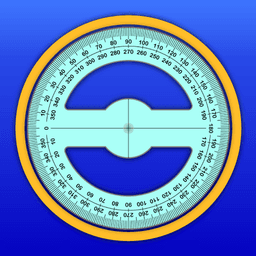
Manual angle measurement gives you full control—adjust the red protractor lines to select any angle from 0 to 180 degrees. This mode is useful for geometric tasks, drafting work, or any situation where you need to set a specific angle manually. The protractor rotates a full 360 degrees and can display on the upper or lower half of your screen, adapting to your viewing angle.
As a plumb line and digital inclinometer, this tool determines whether surfaces are perfectly vertical or measures how far off-vertical they've tilted. Construction workers, masons, and carpenters rely on this mode to check wall alignment, adjust sloped surfaces, and ensure structural accuracy. A calibration feature lets you correct for sensor drift in your phone, and a relative-zero option lets you measure inclination from any baseline you choose—not just true vertical.
Automatic angle measurement captures the angle between two inclinations without manual adjustment. Set a horizontal reference by rotating your phone, then the app calculates the angle relative to that base. This hands-free approach saves time on site when you need quick readings.
Accuracy and clarity are built in. A digital display shows precise measurements in your choice of degrees or radians, with arrow indicators pointing the direction of tilt (left or right). For remote measurement work, overlay your phone's camera view behind the protractor, so you can measure angles on distant objects or surfaces you can't physically reach. A pause function locks the current angle reading, preventing accidental changes while you're documenting or adjusting.
Capture screenshots of your measurements for records, reports, or reference. All the features you'd expect from a physical protractor—without carrying one in your pocket.
Protractor Tool handles everyday household leveling tasks and professional-grade construction and carpentry work. Download it free and always have a precision angle tool within reach.
Pros & Cons
Pros
- Three measurement modes handle manual angles, plumb lines, and automatic detection
- Calibration feature corrects for sensor drift in your device
- Camera overlay lets you measure angles on distant or hard-to-reach surfaces
- Pause function locks readings to prevent accidental changes while documenting
Cons
- Accuracy depends heavily on phone's internal accelerometer calibration
- No mention of dark mode or night-friendly interface for job sites
- Relies on phone sensors that may drift or need frequent recalibration
- Requires steady hand positioning for reliable inclinometer readings
Frequently asked questions about Protractor Tool
Is Protractor Tool safe to download?
A malware scan report for this version of Protractor Tool is not available on Unstore yet. Only install files from sources you trust and keep your device's security protection turned on.
What are the system requirements for Protractor Tool?
Protractor Tool runs on Android. It requires Android 7.0 (Nougat) or later. The download size is 21.7 MB.
What is the latest version of Protractor Tool?
The latest version of Protractor Tool on Unstore is 1.3.5. It was last updated on July 27, 2026.
Who develops Protractor Tool?
Protractor Tool is developed by Maleirbag.
Related Apps

HWiNFO
Hardware monitoring for Windows—track CPU temp, GPU load, fan speed, voltage in real time.

TransMac
Read Mac drives and DMG files on Windows. Access APFS/HFS+ storage and create disk images.

Advanced SystemCare Free
System optimization tool: clean, repair, and secure your PC. Remove malware, fix errors, and boost performance.

Display Driver Uninstaller (DDU)
Driver uninstaller for GPU and audio — removes residual files for clean Windows updates

Glary Utilities
PC maintenance and optimization suite — clean, repair, and speed up your Windows computer in one action.

Universal ADB Drivers
ADB drivers for Android: Connect any smartphone to Windows PC without manufacturer software.
Latest Articles

Play a free Poly Bridge-style bridge builder in your browser (no download)
Nov 14, 2026

Play a free Balatro-style poker roguelike in your browser (no download)
Nov 14, 2026

GarageBand for Android or Chromebook? A free music studio in your browser
Nov 14, 2026

FlipaClip for PC or Chromebook? We built a free animation maker that runs in your browser
Nov 14, 2026

Play a free Color Ball Sort Puzzle-style game in your browser (no download)
Oct 6, 2026